JobFit is a decision-support tool, not a decision-maker. The AI doesn’t reject anyone on your behalf, the hiring decision is always made by you and your team.
Configuring a JobFit Profile
- A JobFit profile is the list of criteria the AI uses to evaluate applications for a role, similar to a pre-screening checklist.
- Each factor consists of a name (e.g. “Good German language skills”) and a description (e.g. “Candidate has at least C1 German proficiency”).
- By default, all factors count equally. If weighting is activated for your organisation, each factor has a factor type: Normal, Must-have, or Nice-to-have. New factors are Normal by default.
- You can adjust the factor type in the JobFit factor settings.
- Must-have is for mandatory requirements. If a candidate does not meet a Must-have, they are classified as No Fit.
- Nice-to-have is for desirable additional criteria that can be considered positively, but do not have to be met.
- The AI evaluates each factor independently, so you can see which criteria a candidate met or missed, not just their overall score.
- If no profile is configured manually, PastaHR automatically generates one based on the job description. You can refine it at any time.
Customising JobFit Factors
1
Open the job
In the PastaHR web app, navigate to Jobs and select the job.
2
Open the JobFit Profile tab
Here you’ll see the current list of factors, including any auto-generated profile.
3
Adjust the factors
Add, edit, or remove factors. Each description should be precise and something the AI can evaluate.
4
Review the factor type
If weighting is activated for your organisation, open the JobFit factor settings and choose whether the factor is Normal, Must-have, or Nice-to-have. Before saving, check that the factor types reflect the role’s real priorities.
5
Save and re-evaluate if needed
Save the profile. Existing applications for this job will then show Pending until you click Re-evaluate applications in the job settings.
Admins can edit JobFit profiles for all jobs. Recruiters can only edit profiles for jobs they’re assigned to in the ATS or in PastaHR.
Tips for Good Factors
- Phrase it as a yes/no criterion: every factor must be strictly checkable and answerable clearly as met or not met. Vague factors like “Is motivated” can’t be reliably evaluated by the AI.
- Be precise: “Candidate has at least 3 years of customer-facing experience in retail” instead of “Experience with customers”.
- Focus on verifiable information: avoid factors around soft skills, motivation, etc.
- Set factor types deliberately: keep Normal for regular evaluation criteria. Use Nice-to-have for desirable additional criteria that improve an application but are not mandatory.
- Use Must-haves sparingly: mark a requirement as Must-have only when an application should not be pursued if that criterion is not met, such as a required work permit or a legally required qualification.
Understanding the JobFit Score
All factor scores are combined into a single, deterministic JobFit result. Each factor is either met, not met, or cannot be evaluated because the information is missing, unclear or contradictory. A factor that cannot be evaluated adds no points but still counts towards the maximum score, so missing information can lower the result. If weighting is activated, JobFit takes the factor type into account: Normal factors form the regular evaluation, Nice-to-haves describe desirable additional criteria, and Must-haves represent mandatory requirements. A higher factor type always outweighs all factors of lower types combined. If a candidate does not meet a Must-have, they are classified as No Fit, unless the overall result is Uncertain. A Must-have that cannot be evaluated does not trigger this rule on its own.Great Fit
90% or more, the candidate meets most of your defined criteria.
Good Fit
65% or more, the candidate meets most criteria well.
Medium Fit
45% or more, the candidate meets some criteria.
No Fit
Below 45% or at least one unmet Must-have: the candidate does not meet enough of your defined criteria or does not meet a mandatory requirement.
Traceability
For every application, PastaHR shows a rationale for each factor explaining why the AI classified it as met, not met, or not assessable. In the JobFit profile, you can see which factor type was used for the evaluation. From the three-dot menu in the JobFit view, you can:- Download PDF: downloads the rationale and sources for all factors as a PDF.
- JobFit Profile: jumps directly to the job’s factors to manage them (see Customising JobFit Factors).
When JobFit Shows No Score
Some results are not a suitability assessment:- Uncertain: more than half of the factors could not be evaluated because the information was missing, unclear or contradictory.
- Pending: the evaluation is missing or outdated, for example because the JobFit profile was edited after the evaluation. The new criteria or factor types don’t apply retroactively.
- Error: a technical failure occurred during the evaluation.
Viewing Results in Your ATS
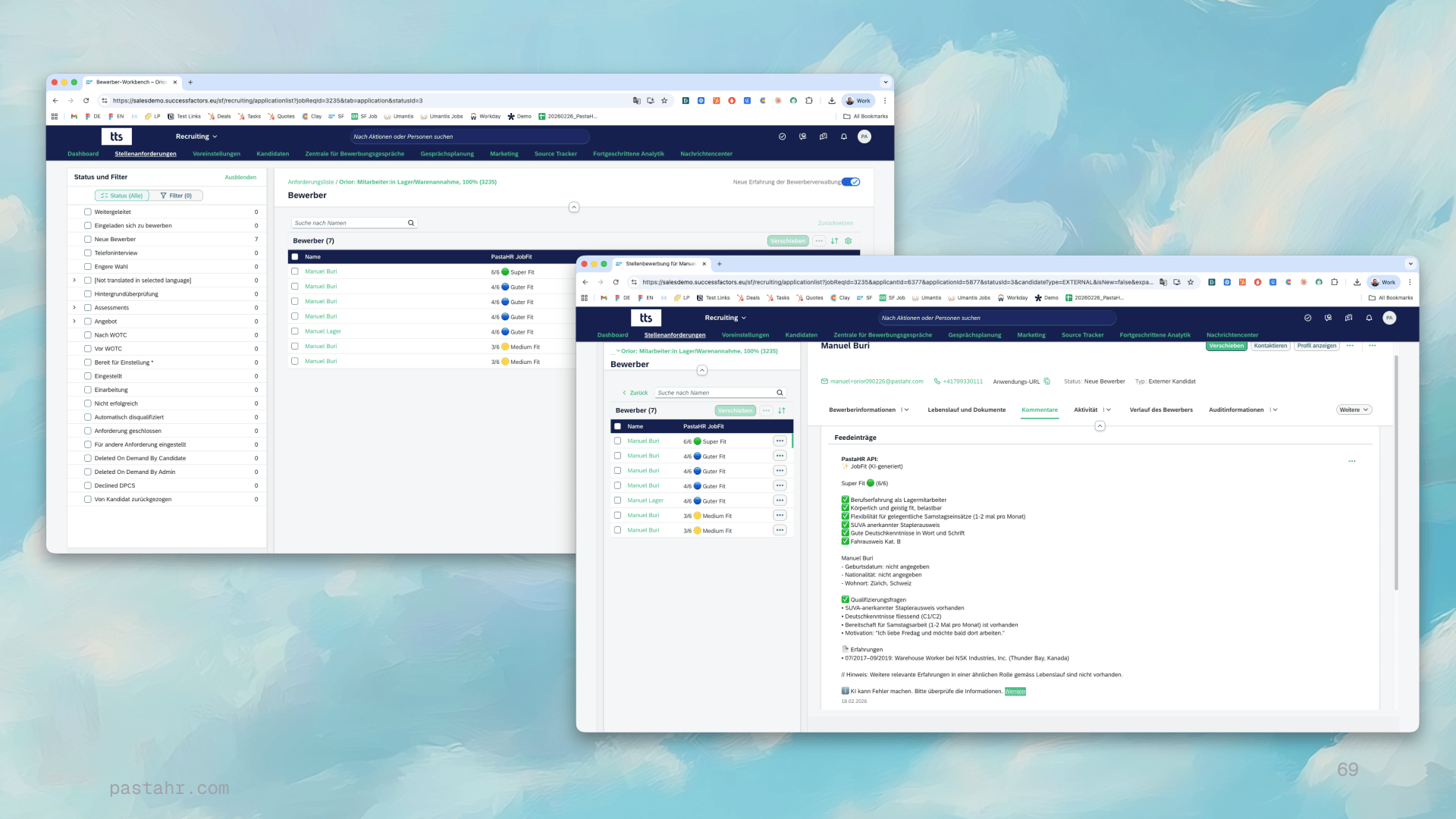
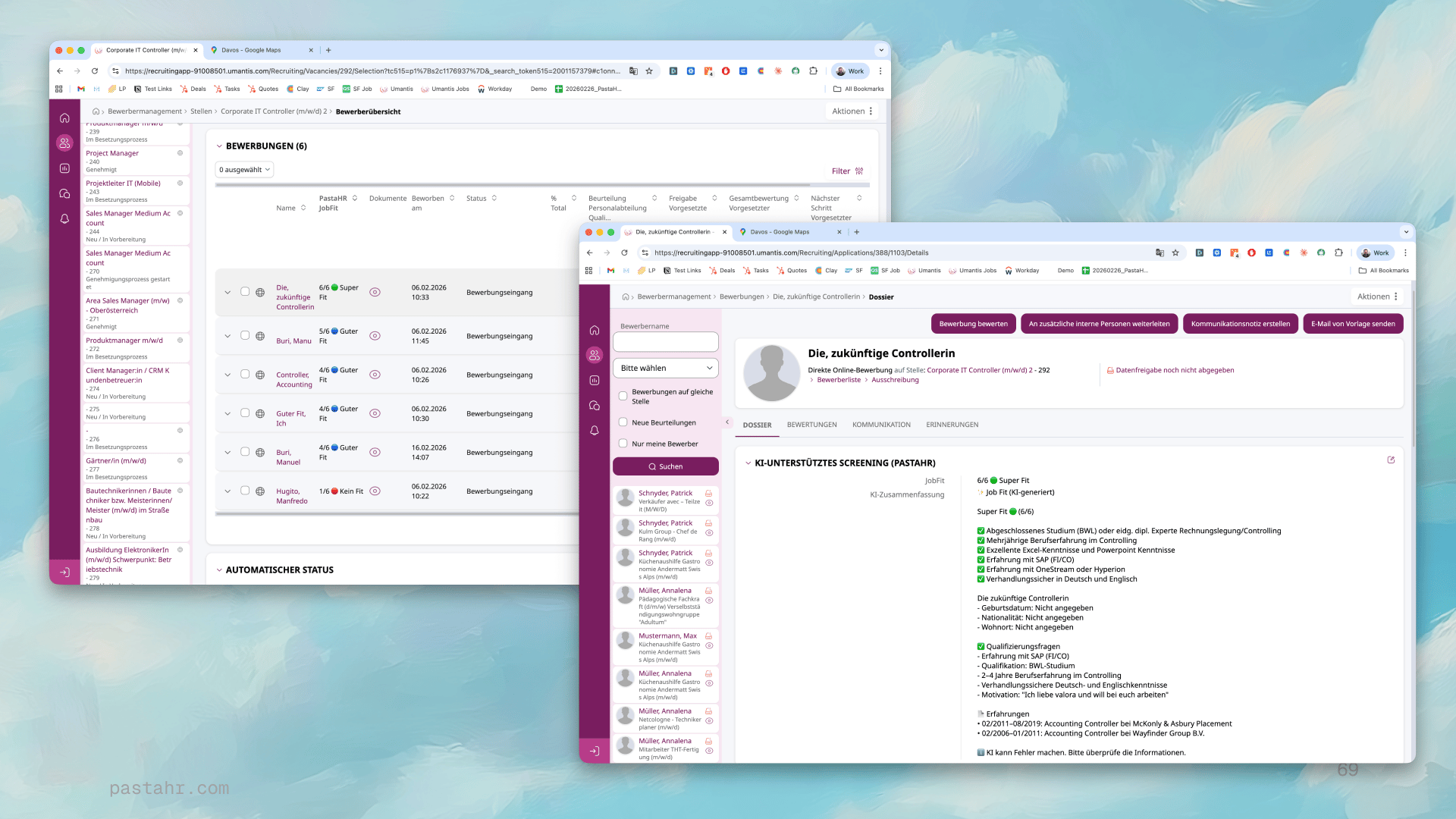
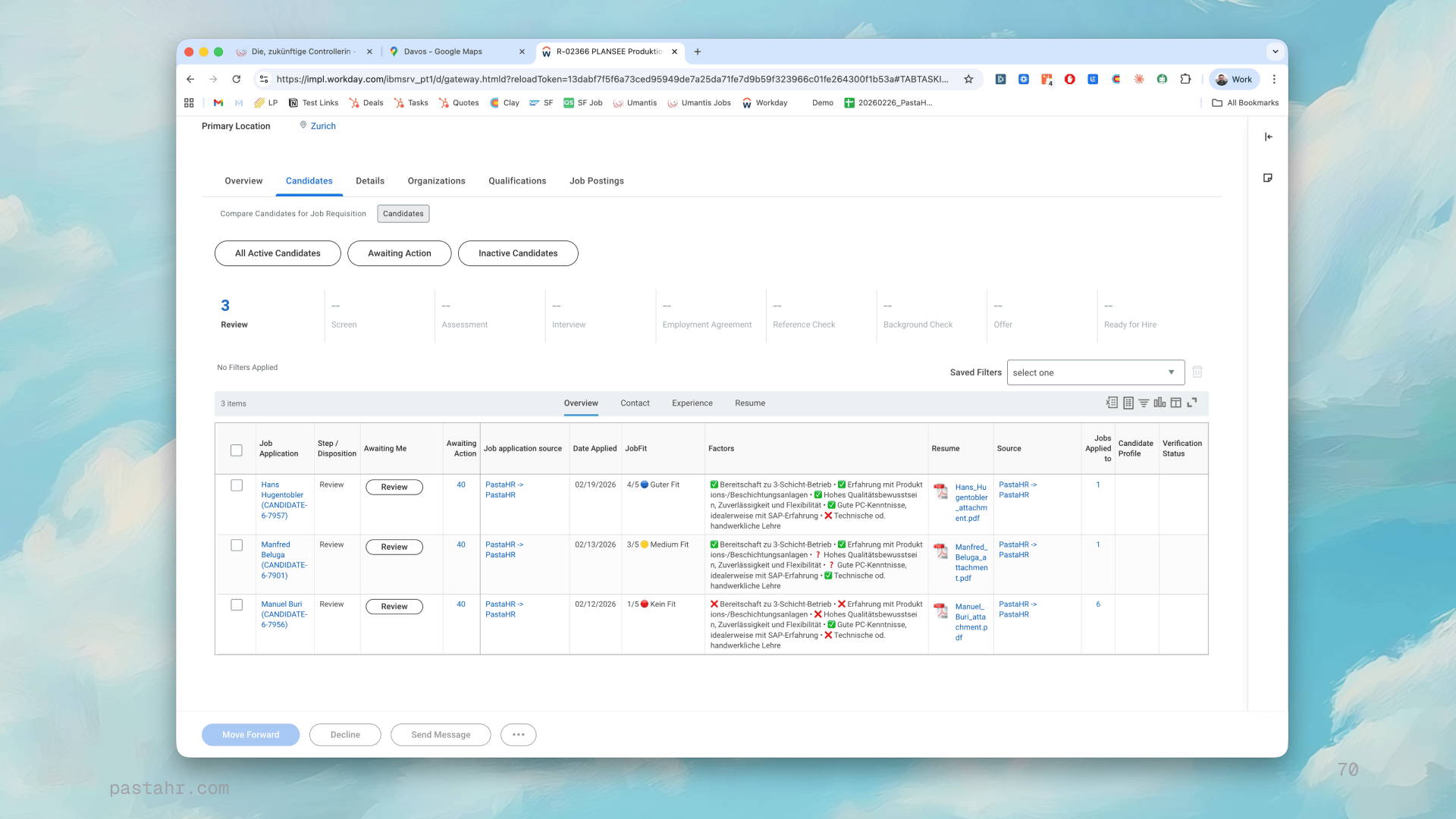
The JobFit score and AI summary integrate seamlessly with your existing ATS. What is sent and how to set it up is described in JobFit in Your ATS.- SAP SuccessFactors
- Abacus Umantis
- Workday
- Other ATS Systems
Available as a standard comment by default. If the new candidate workbench is active in your SuccessFactors account, JobFit can additionally appear as a sortable custom field in the candidate overview. Let the PastaHR team know to enable this.