> ## Documentation Index
> Fetch the complete documentation index at: https://docs.pastahr.com/llms.txt
> Use this file to discover all available pages before exploring further.
# Configure Interview Booking Types
> Interview types are the foundation of PastaHR's booking system: configure basics, availability, limits, assigned users, message templates, and calendar integration.
Interview types are the foundation of PastaHR's booking system. For every use case, from a taster day to a classic interview, you create a dedicated type with its own logic. All types are managed under **Interviews → Types**.
There are two basic booking formats:
| Booking format | Best for |
| -------------- | --------------------------------------------------------------- |
| **All-day** | Taster days, multi-day assignments |
| **Time slot** | Hourly-booked conversations such as phone screens or interviews |
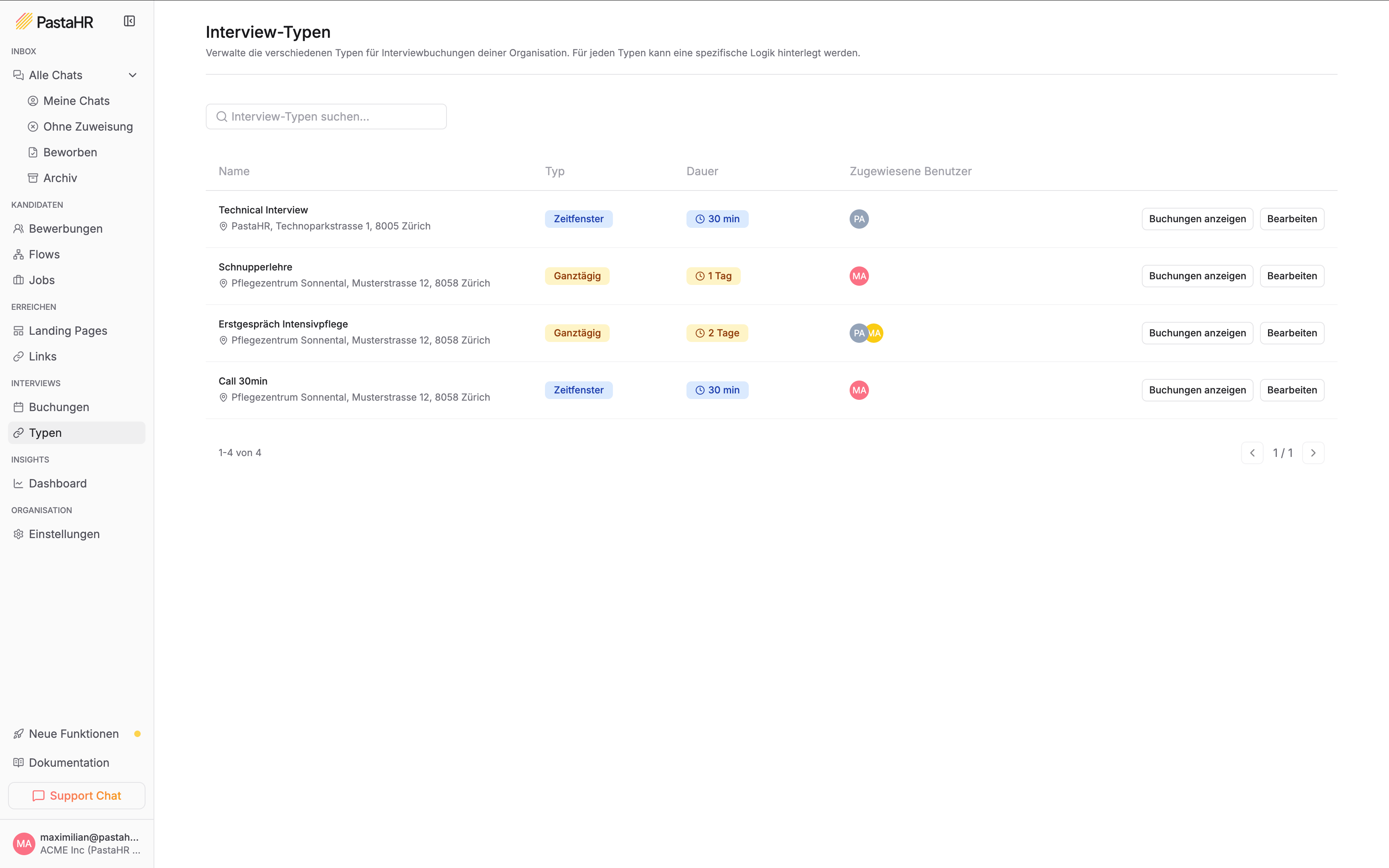 You configure the following settings in an interview type's editor (**Interviews → Types → select type → Edit**).
## Basics
* **Name**: The internal and candidate-facing label for the appointment
* **Description**: Optional accompanying text that informs candidates about the appointment
* **Location**: The address or a description of the venue
Under **Contact Information**, add a point of contact with a name, email, and optional phone number. This information is visible to candidates.
## Availability
Here you set which weekdays are available for booking. Toggle days on or off.
For each weekday, you only decide whether the day is bookable, with no specific times.
You configure the following settings in an interview type's editor (**Interviews → Types → select type → Edit**).
## Basics
* **Name**: The internal and candidate-facing label for the appointment
* **Description**: Optional accompanying text that informs candidates about the appointment
* **Location**: The address or a description of the venue
Under **Contact Information**, add a point of contact with a name, email, and optional phone number. This information is visible to candidates.
## Availability
Here you set which weekdays are available for booking. Toggle days on or off.
For each weekday, you only decide whether the day is bookable, with no specific times.
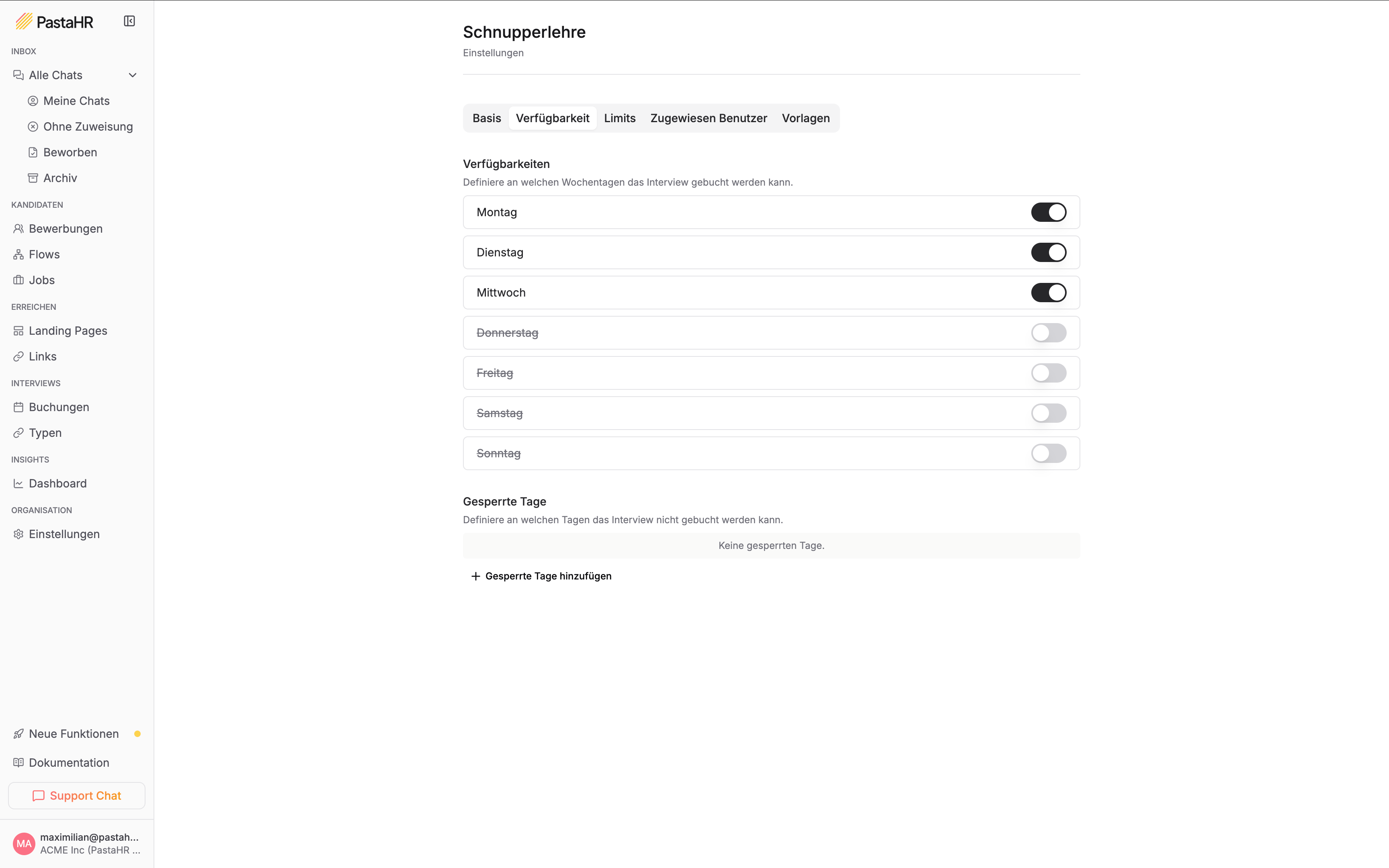 For each enabled weekday, you set specific times (from–to). Multiple time blocks per day are possible.
 For both booking formats, you can also add **blocked days** (e.g. public holidays) when no bookings are possible.
## Limits
| Setting | All-day | Time slot |
| ------------------------------- | ------- | --------- |
| Minimum days in advance | ✓ | ✓ |
| Maximum days in advance | ✓ | ✓ |
| Number of full days (1–5) | ✓ | – |
| Time slot duration (15 min–4 h) | – | ✓ |
| Max. simultaneous bookings | ✓ | ✓ |
* **Minimum days in advance** determines how last-minute a candidate can still book.
* **Maximum days in advance** limits the bookable window into the future.
* **Max. simultaneous bookings** determines how many people can occupy the same appointment at once.
## Assigned Users
You can assign one or more team members to an interview type. They receive an email notification for every new booking and rescheduling.
Assigned users also determine who can see an interview type and send booking invitations for it. For details, see [Roles & Permissions](/en/recruiters/interview-booking#roles-permissions).
## Templates
For every interview type, you can customise the automatically sent messages:
* **Invitation**: Sent when a candidate is invited to an interview (includes the booking link)
* **Confirmation**: Sent once the booking is complete
* **Reminder**: Sent automatically ahead of the appointment
Each template is available for both **email** and **WhatsApp**, in German and English.
Freely customisable, including document attachments. Available placeholders: name, booking link, location, event description (from the basic settings), and start date.
Subject to Meta's template requirements. See [Message Templates](/en/recruiters/message-templates) for details.
To set up or adjust templates for an interview type, contact [support@pastahr.com](mailto:support@pastahr.com).
For both booking formats, you can also add **blocked days** (e.g. public holidays) when no bookings are possible.
## Limits
| Setting | All-day | Time slot |
| ------------------------------- | ------- | --------- |
| Minimum days in advance | ✓ | ✓ |
| Maximum days in advance | ✓ | ✓ |
| Number of full days (1–5) | ✓ | – |
| Time slot duration (15 min–4 h) | – | ✓ |
| Max. simultaneous bookings | ✓ | ✓ |
* **Minimum days in advance** determines how last-minute a candidate can still book.
* **Maximum days in advance** limits the bookable window into the future.
* **Max. simultaneous bookings** determines how many people can occupy the same appointment at once.
## Assigned Users
You can assign one or more team members to an interview type. They receive an email notification for every new booking and rescheduling.
Assigned users also determine who can see an interview type and send booking invitations for it. For details, see [Roles & Permissions](/en/recruiters/interview-booking#roles-permissions).
## Templates
For every interview type, you can customise the automatically sent messages:
* **Invitation**: Sent when a candidate is invited to an interview (includes the booking link)
* **Confirmation**: Sent once the booking is complete
* **Reminder**: Sent automatically ahead of the appointment
Each template is available for both **email** and **WhatsApp**, in German and English.
Freely customisable, including document attachments. Available placeholders: name, booking link, location, event description (from the basic settings), and start date.
Subject to Meta's template requirements. See [Message Templates](/en/recruiters/message-templates) for details.
To set up or adjust templates for an interview type, contact [support@pastahr.com](mailto:support@pastahr.com).
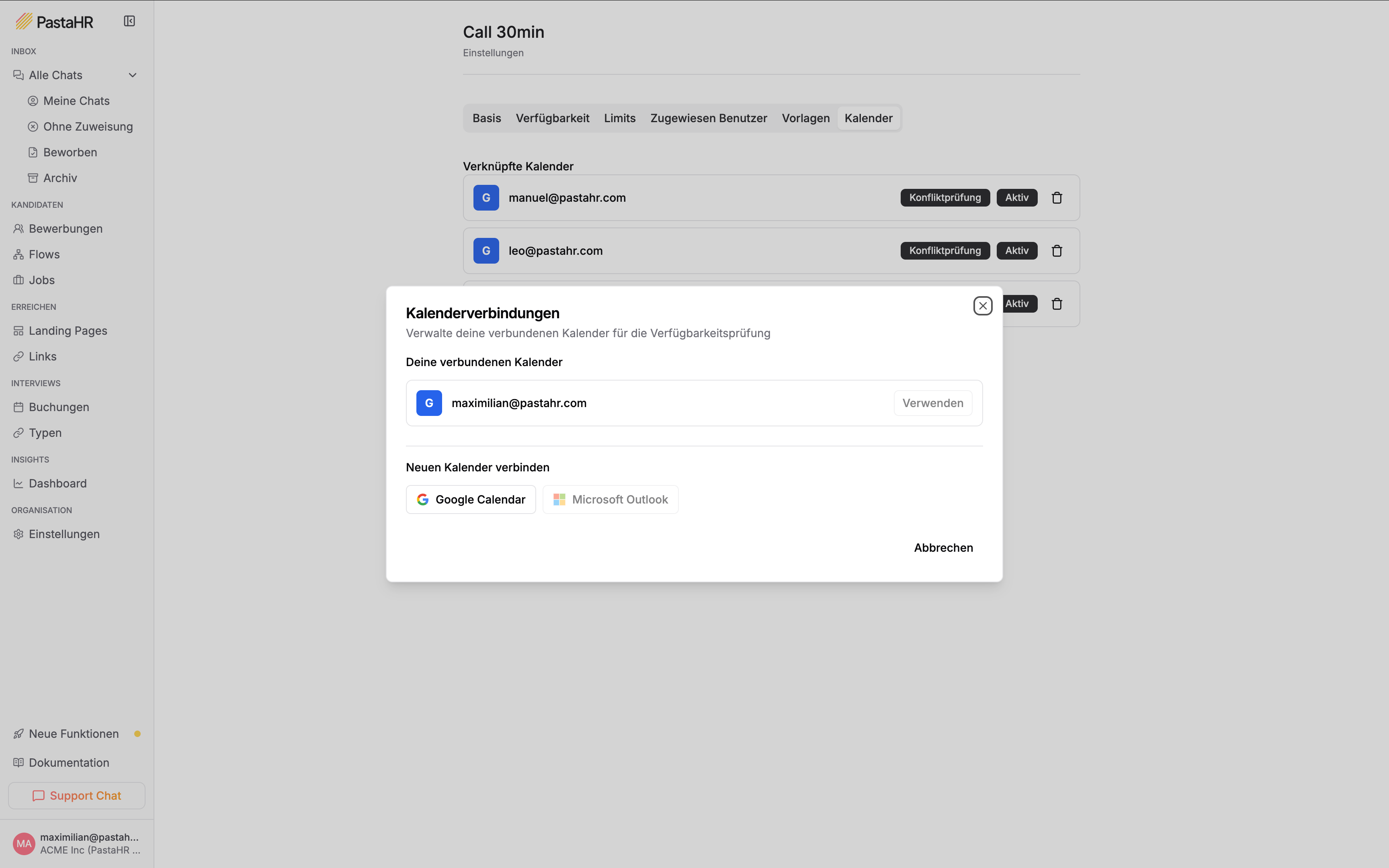
Calendar
Only available for time slot types.
You can connect an external calendar (e.g. Google Calendar) to the interview type. Through **conflict checking**, PastaHR automatically checks whether the assigned person is already busy at the booking time and hides those slots from candidates. Multiple calendars can be connected at the same time.
Step-by-step instructions for connecting Google Calendar or Microsoft Outlook.
Understand the booking flow from the perspective of candidates and your team.
See which roles can manage interviews and send invitations.